
Is V3 Game APK Safe? An Honest Check Before You Install
Is V3 Game APK safe? It's a fair question for any app you install outside the Play Store. The honest answer has two parts: whether the file is safe for your phone, and whether the app is safe for your money. This guide covers both, with checks you can do yourself.
Key takeaways
- File safety depends on where the APK comes from: use one trusted link and check the size and permissions.
- Money safety is a separate question: V3 Game uses real money, and you can lose it.
- Never share your password or OTP, and never install "mod", "hack" or "prediction" builds.
Is the V3 Game APK safe to install?
It can be, if the file is genuine. The risk with any APK comes from where you download it: a file from one trusted link is far safer than a copy from a file-sharing site or Telegram group. Check the file size, read the permissions screen, and keep Google Play Protect switched on.
5 checks before you install
- Use one trusted linkDownload only from the button on our V3 Game APK download page. Don't install files people forward to you.
- Compare the file sizeThe current file is 28 MB. A very different size means a different, possibly modified, file.
- Read the permissions screenInternet and notifications are normal for a game. SMS, contacts, call logs, accessibility or device admin are red flags — cancel the install.
- Keep Play Protect onA warning that the app is "unknown" is normal for APKs. A warning that it is harmful means stop.
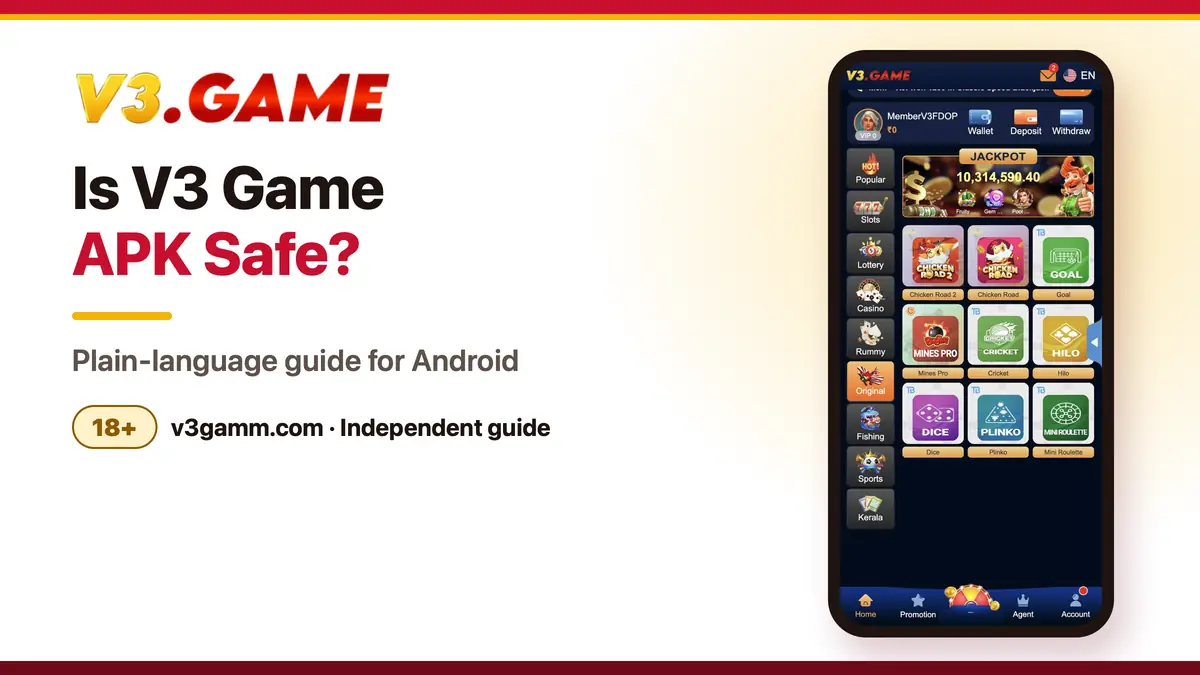
- Check what opensThe real app shows the V3.GAME logo with Login, Register, Wallet, Deposit and Withdraw at the top. If it looks different, delete it.

Which permissions should V3 Game need?
A game like V3 Game needs internet access to reach its servers and, optionally, notifications for alerts. It has no reason to read your SMS, contacts or call logs, use accessibility services, or become a device administrator. If an installer asks for any of those, it's very likely a modified copy — cancel and delete the file.
You can review what an installed app can access at any time in Settings → Apps → V3 Game → Permissions, and switch off anything you don't want it to have.
Why does Play Protect warn about V3 Game?
Google Play Protect warns about many apps installed from outside the Play Store, simply because Google hasn't reviewed them. An "unknown app" or "unverified developer" message is common for APKs and isn't proof of malware. A message saying the app is harmful is different: in that case, don't install it.
Don't switch Play Protect off to force an install through. If the genuine file ever triggers a "harmful" warning, wait for a new version instead.
Is V3 Game safe for your money?
V3 Game is a real-money app: you deposit into a wallet, play games decided largely by chance, and can request withdrawals. That means real financial risk. We can explain how the app works, but we can't vouch for payouts, withdrawal times or the operator's finances, so only deposit what you can afford to lose.
- Set a budget and a time limit before you play, and stop when you reach either.
- Never borrow money to play, and never chase losses.
- Ignore anyone selling "sure" wins — read why V3 Game prediction tricks don't work.
- Check that online money gaming is legal where you live; India's rules changed with a central law in 2025.
Our responsible gaming page lists warning signs and free, confidential help.
Keep your V3 Game account safe
- Never share your password or OTP — not with friends, "agents" or anyone claiming to be support. v3gamm.com never asks for them.
- Use a unique password that you don't use for email, banking or UPI.
- Ignore "support" that messages you first, especially if they ask for a fee, an OTP or remote access to your phone.
- Never install "mod", "hack" or "prediction" apps that ask for your V3 login.
If you think someone has your login, change your password straight away using the steps in our V3 Game login APK guide.
Your quick safety checklist
Before installing
- Downloaded from one trusted link
- File size matches 28 MB
- No requests for SMS, contacts, accessibility or device admin
- Play Protect on, with no "harmful" warning
After installing
- The genuine home screen with Login, Register and Wallet
- A password you don't use anywhere else
- Password and OTP never shared
- A money and time limit set before playing
Something not working after a safe install? See the V3 Game APK not working guide or the V3 Game FAQ.
Is V3 Game APK safe? FAQ
Is V3 Game real or fake?
V3 Game is a real app that takes real-money deposits and offers withdrawals. We can't verify its payouts, withdrawal times or who runs it, so treat any deposit as money you could lose.
Can the V3 Game APK contain a virus?
Any APK can be modified to include malware, which is why the source matters. Download from one trusted link, compare the file size, keep Play Protect on and cancel if the installer asks for SMS, contacts or accessibility.
Why does Play Protect warn about V3 Game?
Play Protect warns about many apps from outside the Play Store because Google hasn't reviewed them. An "unknown app" warning is common; a "harmful app" warning means don't install.
What permissions does V3 Game need?
Internet access, and optionally notifications. It should never need SMS, contacts, call logs, accessibility services or device admin.
Is it safe to share my UPI PIN or OTP with V3 Game support?
No. Never share a UPI PIN or OTP with anyone, including support. Genuine support never needs them.
Is V3 Game legal in India?
India's online money-gaming rules changed with a central law in 2025, and several states have their own bans. Check the law where you live before you download.
So, is V3 Game APK safe? The file can be, if it comes from one trusted link and passes the checks above. The money side is riskier: V3 Game is a real-money app, so play only with what you can afford to lose. Get the app from our V3 Game APK download page, or go back to the V3 Game home page.


