
V3 Game APK Download for Android
Get the V3 Game APK, install it in three steps and fix the most common install errors. Whether you searched "V3 Game download APK" or "V3 games download APK", this is the same free file; the app is for adults 18+ and involves real money.
- Free
- Android 6.0+
- 28 MB
- v2.1.4
- 18+
App information
Check these details against the file you download. If the size is very different, delete the file and download it again from this page.
| App name | V3 Game |
|---|---|
| Latest version | 2.1.4 |
| File size | 28 MB |
| Requires | Android 6.0 or newer |
| Last updated | 20-11-2026 |
| Price | Free to download |
| Age | 18+ only |
| Type | Real-money gaming app (APK) |
V3 Game App APK – what you're installing
The V3 Game app APK is a single Android installation file. Installing it adds the V3 Game app to your phone, while your account, wallet and game history stay on V3 Game's servers — so you can reinstall or update without losing them. The app needs a working internet connection (see V3 Game online APK). Before installing, run the checks in Is V3 Game APK safe?
How to install the V3 Game APK
Installing an APK is different from installing from the Play Store, because Android needs your permission first. Here's the whole process:
- Download the APKTap the Download button on this page. Chrome may warn that "this type of file can harm your device" — that warning appears for every APK from outside the Play Store. Continue only if the file came from this link.
- Allow "Install unknown apps"Open the file from your notifications or the Downloads folder. When Android asks, tap Settings, switch on Allow from this source, then go back. On Android 7 and older, turn on Unknown sources in Settings → Security instead.
- Install and openTap Install, wait for it to finish and tap Open. You can switch the install permission off again afterwards — the app keeps working.
After installing, open the app and tap Register to create an account — our V3 Game login APK guide walks through each field.
Screens from the app
This is what you should see after installing. If the app you installed looks different, it may not be the real V3 Game.
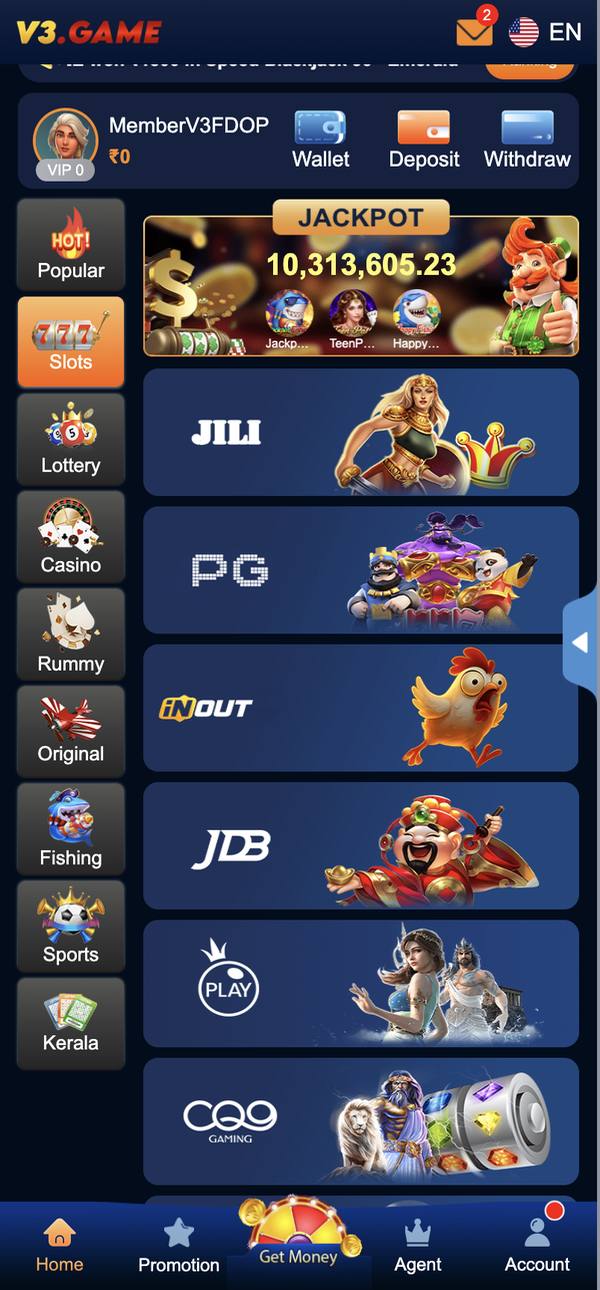
Slots tab: game studios 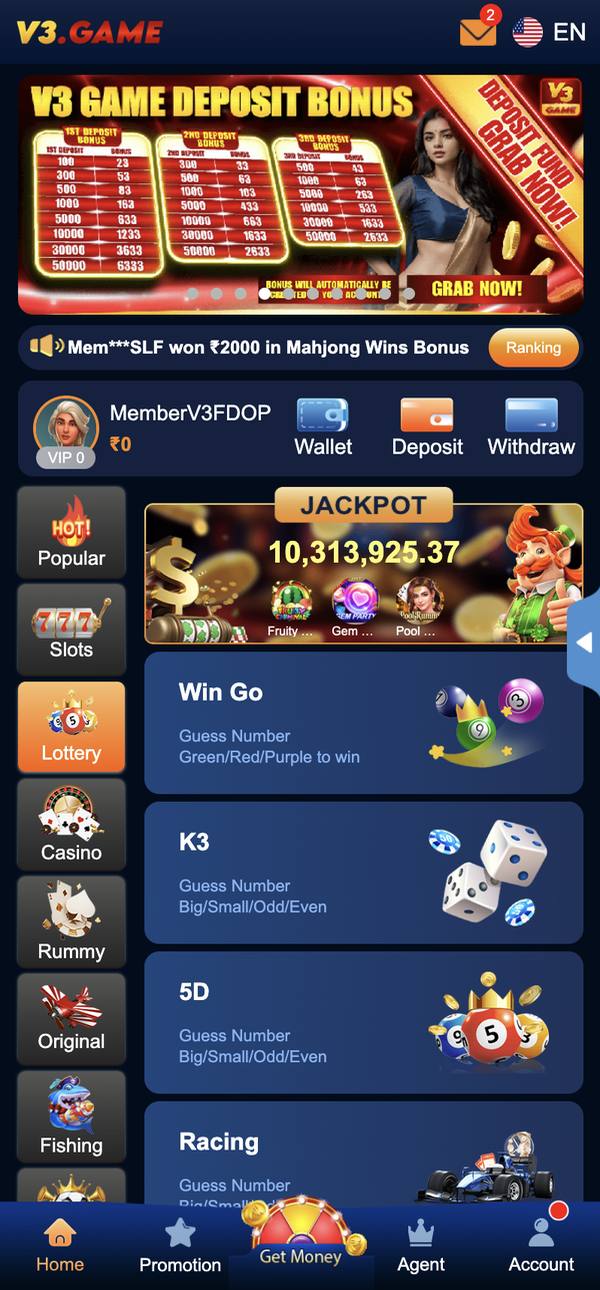
Lottery tab: Win Go, K3, 5D 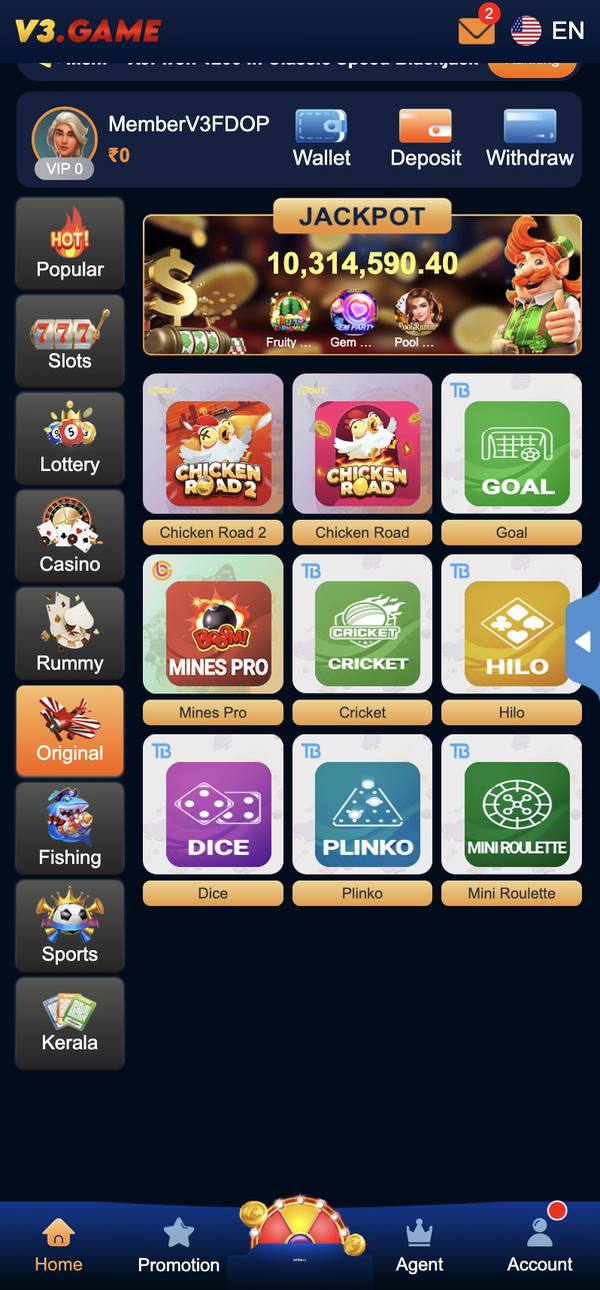
Original games: Mines, HiLo, Plinko 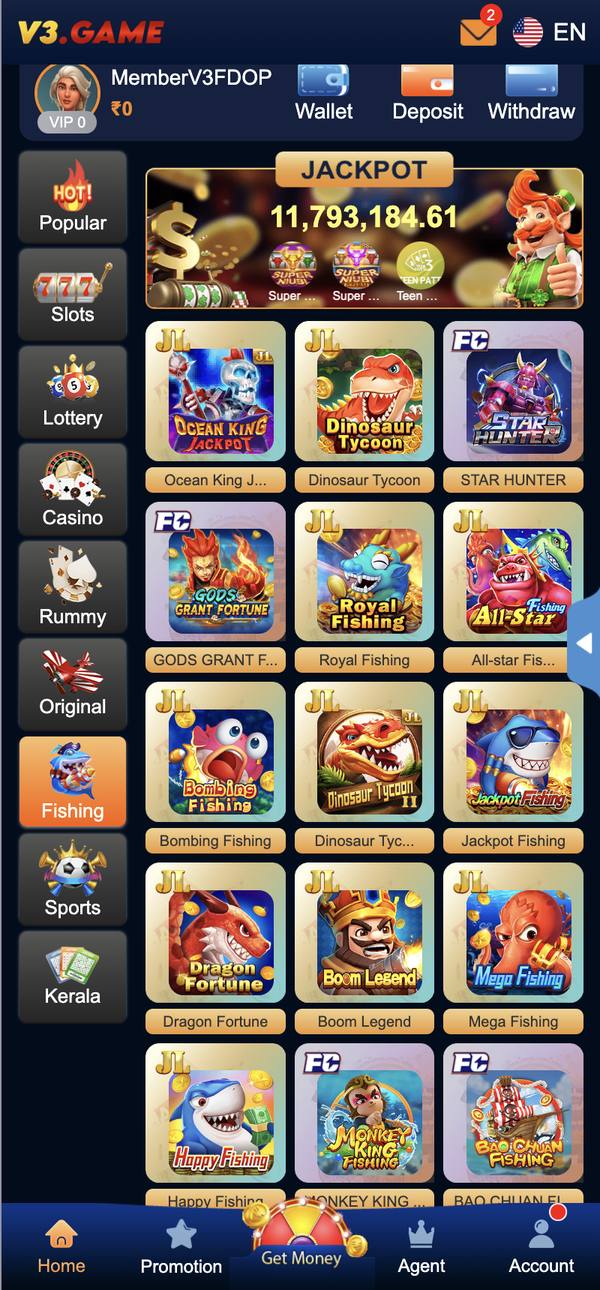
Fishing games


Permissions explained
Before installing, Android shows what the app can access. For a game, internet access and notifications are normal. Be suspicious of anything more:
- Install unknown apps — this permission belongs to your browser or file manager, not to V3 Game. It only lets that app install APK files. Switch it off once you're done.
- Contacts, SMS, call logs — a game doesn't need these. A copy that asks for them may be modified; cancel and delete it.
- Accessibility or device admin — these let an app control your phone. Never grant them to a game or a "prediction" tool.
Troubleshooting
These are the four most common install problems. For loading, network and login errors, see the full V3 Game APK not working guide.
"App not installed"
Usually one of three things: not enough free storage (keep at least twice the APK size free), an incomplete download (download it again on a stable connection), or a different copy of V3 Game already installed with a different signature (uninstall that copy first, then install).
"There was a problem parsing the package"
The file is damaged or incomplete, or your phone runs an Android version older than 6.0. Delete the file and download it again; if the error repeats, check your Android version in Settings → About phone.
Play Protect warning
Google Play Protect warns about many apps that come from outside the Play Store, simply because it hasn't reviewed them. That's a decision for you. If Play Protect says the app is harmful — not just unknown — don't install it.
The download won't start
Check that your browser is allowed to download files, turn off data-saver or ad-blocking modes for a moment, and try again in Chrome.
V3 Game APK download FAQ
Is the V3 Game APK download free?
Yes. Downloading and installing the APK costs nothing. The games inside use money from your in-app wallet.
Which Android version do I need?
Android 6.0 or newer. You can check your version in Settings → About phone.
Can I install V3 Game on an iPhone?
No. APK files only install on Android, and iPhones and iPads cannot open them. See V3 Game APK login on iOS.
Do I need to uninstall the old version before updating?
No. Install the new APK over the old one and your account stays the same. Uninstall first only if you see an "App not installed" error caused by a different copy.
Is it safe to install APK files?
Installing outside the Play Store skips Google's review, so the risk depends on the file. Use one trusted link, check the permissions, keep Play Protect switched on and never install modified or "hack" versions.
Get the V3 Game APK
Download the V3 Game APK for Android, then follow our login guide to register. 18+ only — play responsibly.